 Grave Mistakes
How to replace limbs and make a fake head
Replace missing arms or legs with household items. For a missing head, use the deceased’s printed portrait on a head-shaped object such as a basketball. Use a separate print in an empty frame if the family also requested a portrait.
Updated 2026-11-27 · Steam, November 2026
Steps
Make sure the head matches the funeral
Look up the deceased in Calendar. Keep their head if you still have it. Missing limbs can cost you suspicion, but the funeral needs the corresponding head or an accepted substitute.
Fill the missing limb slots
Use an appropriate substitute on the missing slot. The official examples are a shovel for an arm and a skateboard for a leg. The launch store shows a basketball used as a head substitute. The printed face is what ties that substitute to a particular deceased.
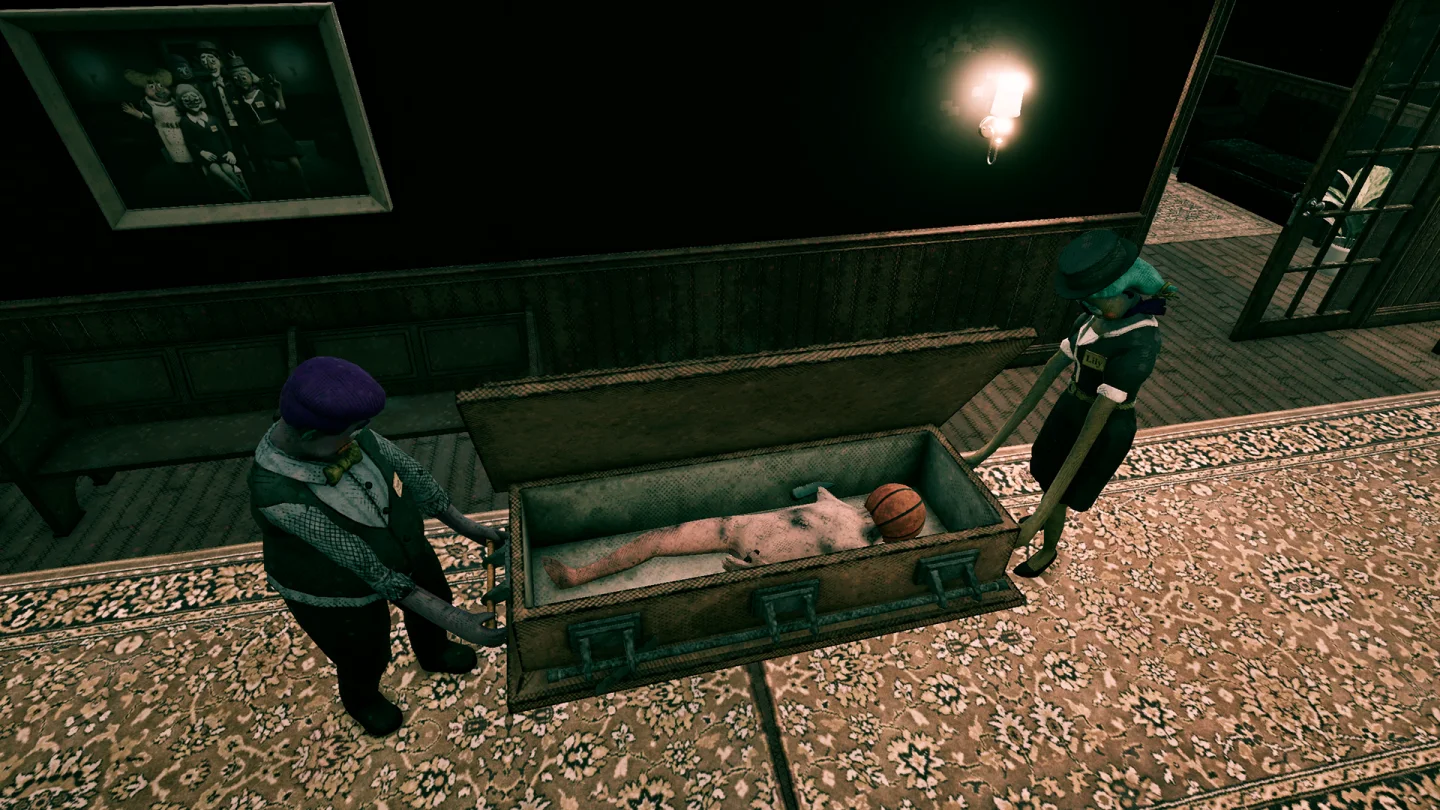
A basketball is an example of a suitable head-shaped object. Official press screenshot. Print and attach the right face
Buy the printer upgrade on the funeral-home computer. Open Calendar, choose the deceased, and print their portrait. Apply the print to the head-shaped object and set the substitute in the head position before the service.
Make a separate framed portrait for the stage
For a Portrait request, use a printed portrait on an empty frame and set the frame on the funeral stage. Check the name before printing so the frame and the head both match the booking.
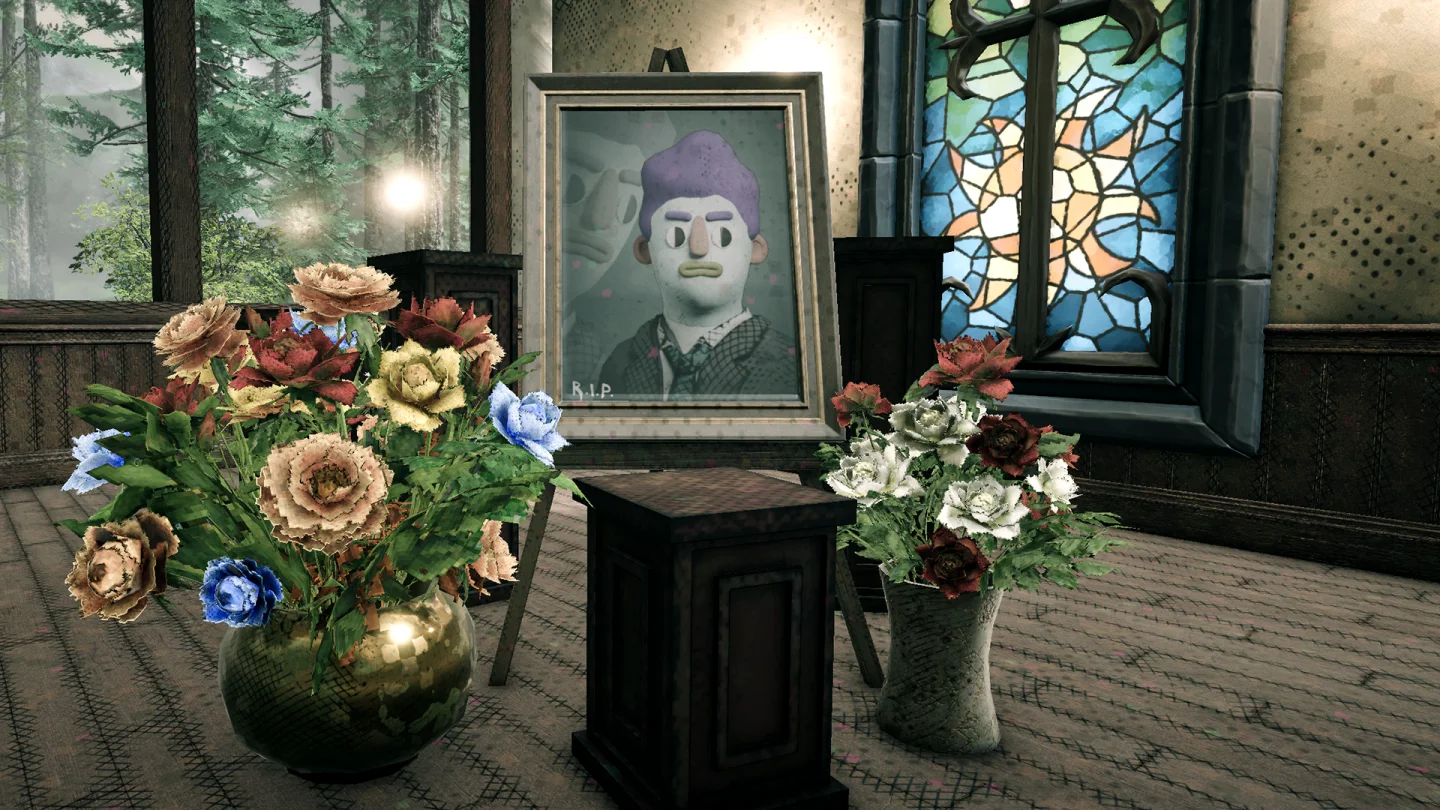
A framed portrait displayed in the chapel. Official press screenshot.
How to tell it worked
The body has a matching head for the ceremony. On the result sheet, check whether missing limbs still added suspicion and whether the Portrait request counted.
If you get stuck
If the ceremony fails despite a head-shaped replacement, check the printed face against the deceased in Calendar. If a print turns black on the next day, Happy Volcano lists deleting the previous day’s funerals before using the portrait as a launch issue. Keep the calendar record while you still need the print.