 Grave Mistakes
How to run a funeral ceremony
Check Today’s Funerals before setting up the chapel. Bring the named deceased with a matching head, prepare only the extras that order calls for, and check the results before clearing the stage.
Updated 2026-11-27 · Steam, November 2026
Steps
Read the order and prepare the chapel
Use Today’s Funerals on the computer to check the deceased and requested extras. Order the casket, flowers, or other equipment through the computer. Put a requested framed portrait on the funeral stage.
Bring the correct body
Check that the head is the right one or carries the matching printed face. Replace missing limbs and preserve the body ahead of time so its condition doesn’t raise suspicion.
Cover eulogy and organ requests
If the order requests a eulogy, go to the chapel lectern and speak at its microphone. A launch player reported doing this before the guests left. If the order lists organ music, have someone play the chapel organ during the service. Check the results for separate Eulogy and Music rows.
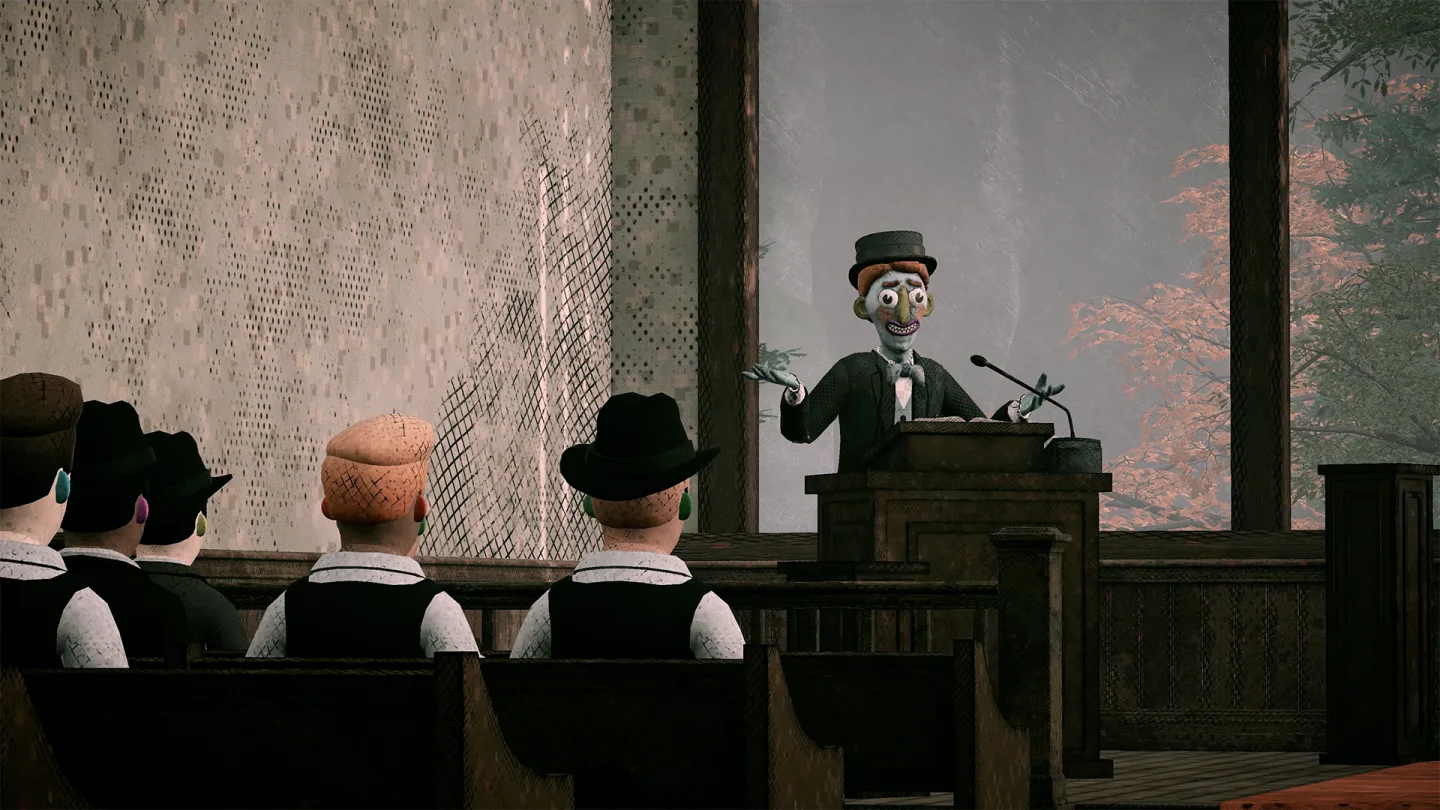
A eulogy delivered from the chapel lectern. Official press screenshot. Use the results as a checklist
Read the ceremony results before moving on. Check whether the funeral completed, which requests earned payment, and which problems added suspicion. The body’s decay and missing limbs can affect the score even when the service completes.
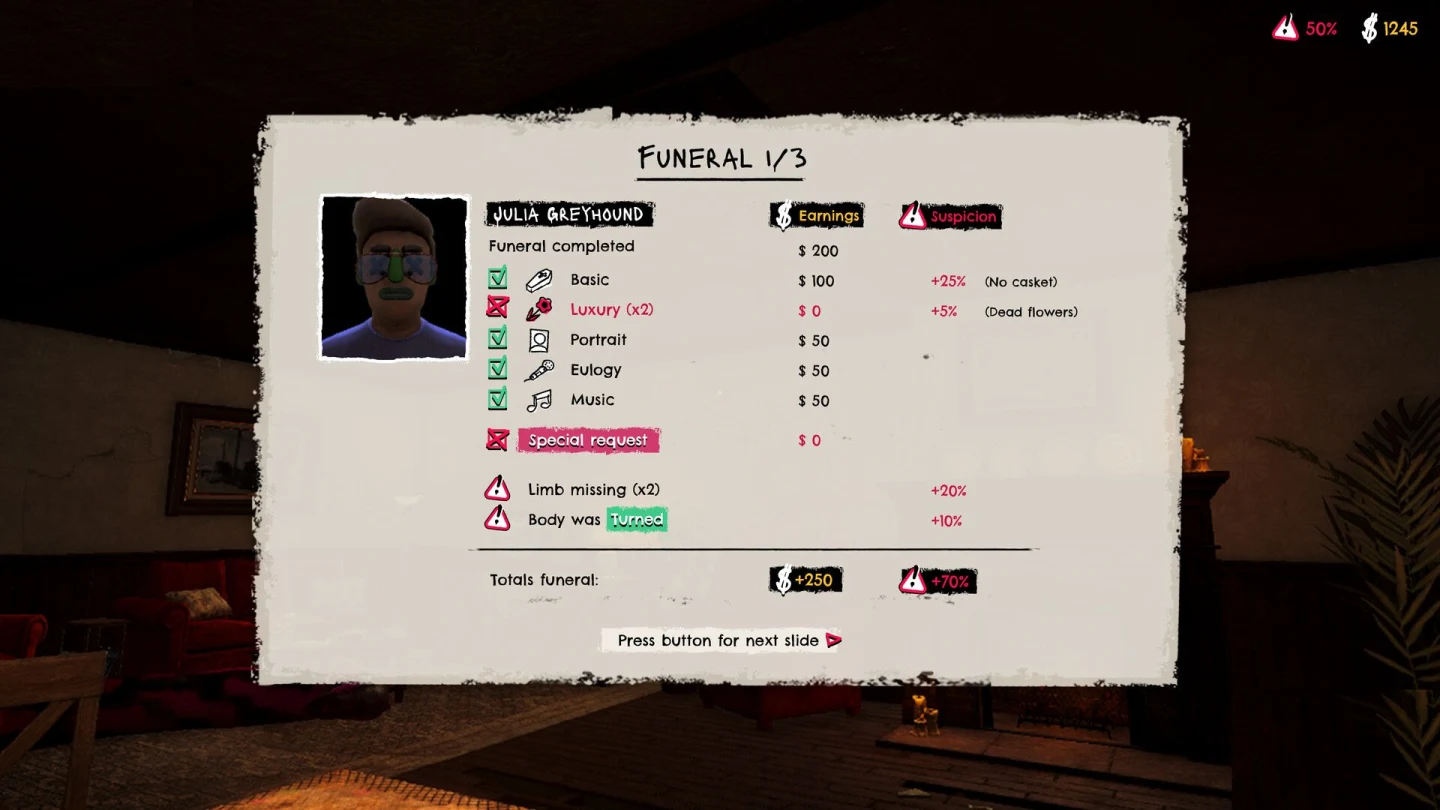 Open full-size image ↗
The result sheet separates credited requests and suspicion penalties. Official press screenshot.
How to tell it worked
The results mark the funeral complete and show which requested extras counted. Steam grants Speechless for delivering a eulogy and Where’s your cape? for playing the organ.
If you get stuck
If the whole service failed, check the head against the deceased first. If a single extra didn’t count, compare the request and notes on the results sheet. The pictured example leaves Luxury unfulfilled because the flowers are dead.