 Grave Mistakes
What to do on your first day
Talk to a visitor at reception to book a funeral. The bookings you take today are for tomorrow. Read what the family wants on the computer, prepare the body and supplies for the service, and keep track of Grandma’s dinner during the same shift.
Updated 2026-11-27 · Steam, November 2026
Steps
Accept a booking at reception
Read the family’s request card before choosing Accept. It shows the deceased and which extras the family asked for. Keep the order in mind so your crew knows what it needs to buy.
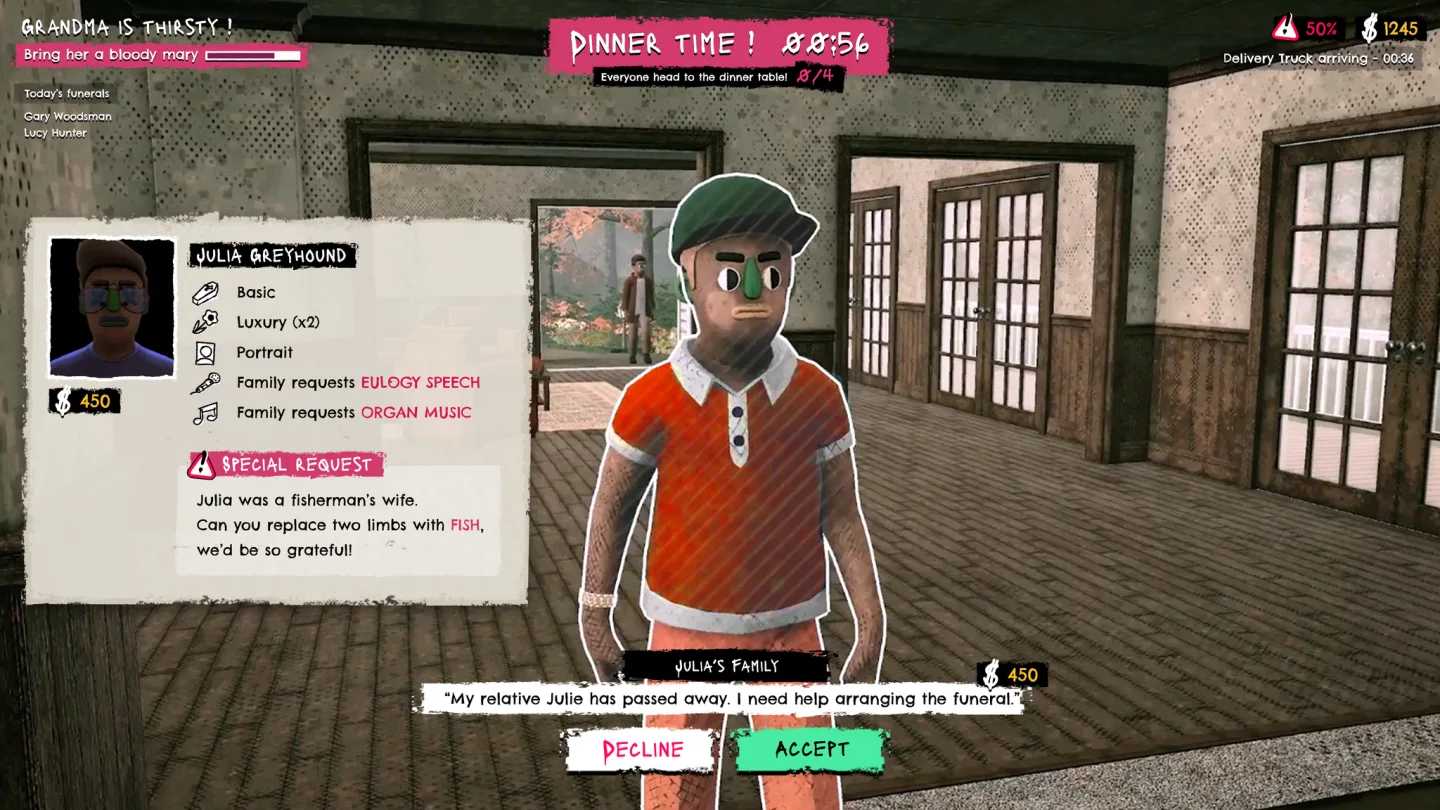
Read the order before accepting. Requests vary by deceased. Official press screenshot. Check the calendar and divide the work
Open Tomorrow’s Funerals on the funeral-home computer to confirm the order. In a crew of two, one player can handle reception and order the casket, flowers, or any requested equipment from the computer while the other keeps the body and prep area ready.
Keep the head and protect the body
Refrigerate the body while it waits. Match the head to the deceased named in the booking and keep prep out of guests’ sight. Set aside only the parts Grandma requested and use replacements to fill the missing limbs before the funeral.
Bring dinner downstairs when called
Watch Grandma’s menu while you work. When dinner is called, carry the requested food to the basement and put it on the plates at her table. The next day, check Today’s Funerals for the service you booked.
How to tell it worked
You have an accepted funeral on the calendar, the right body and supplies reserved, and the requested food delivered on time.
If you get stuck
If an order seems to have disappeared, check Tomorrow’s Funerals first. If a visitor can’t reach reception, check whether a delivery crate is blocking the path. The developer lists blocked guests by reception as a known launch issue.